For iPhone + Apple Watch
Your run.
Your music.
In motion.
Run with your Apple Music favorites, follow a training plan, and see which songs carried you through each mile.

iOS 26 or later. Music playback requires Apple Music.
Bring your iPhone for music, including on Watch runs.
01 / The music
Run to music
you already love.
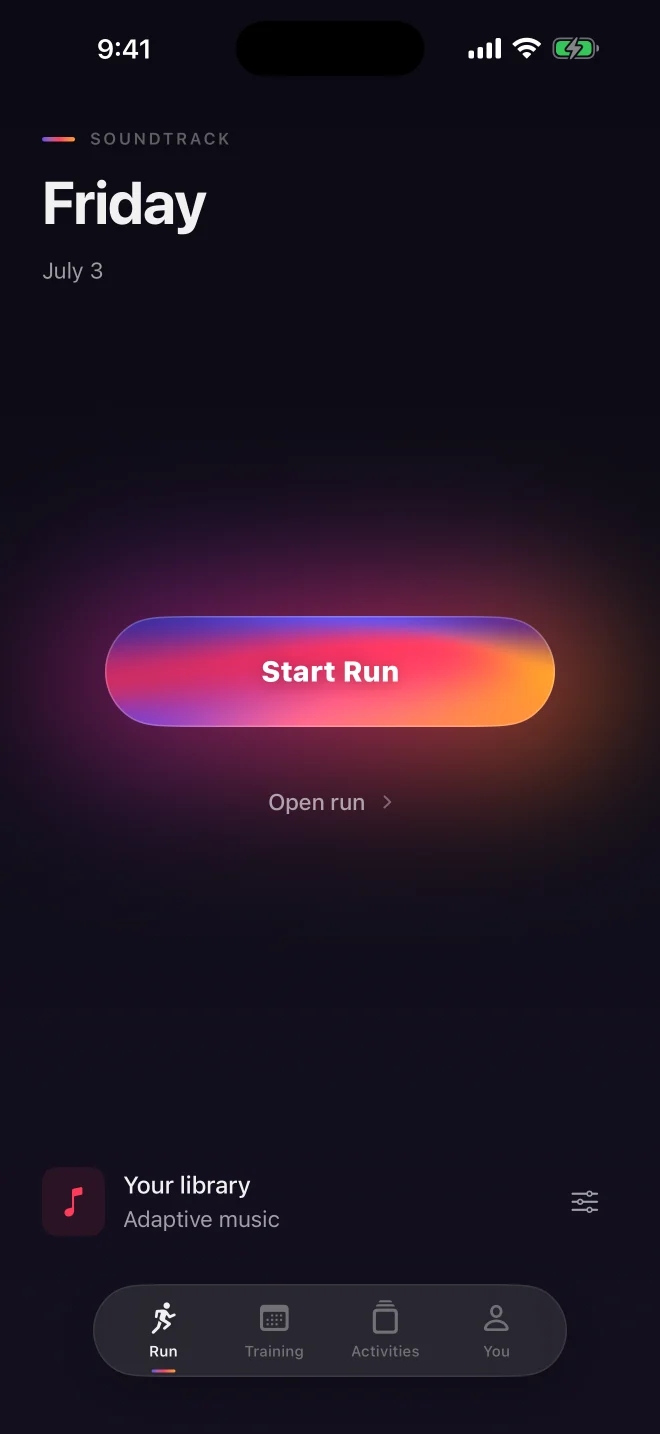
Choose your Apple Music library or a playlist. Soundtrack uses your effort, pace and heart-rate trend to choose what plays next. If a song fits, it keeps playing.
- Choose Easy, Steady or Push. Add a pace if you want.
- Music can prepare for changes in your workout.
- Skip, pause or take over. Your controls come first.
Adaptive music starts with your permission. Prefer shuffle? That’s always an option.
02 / The run
A plan for
your next run.
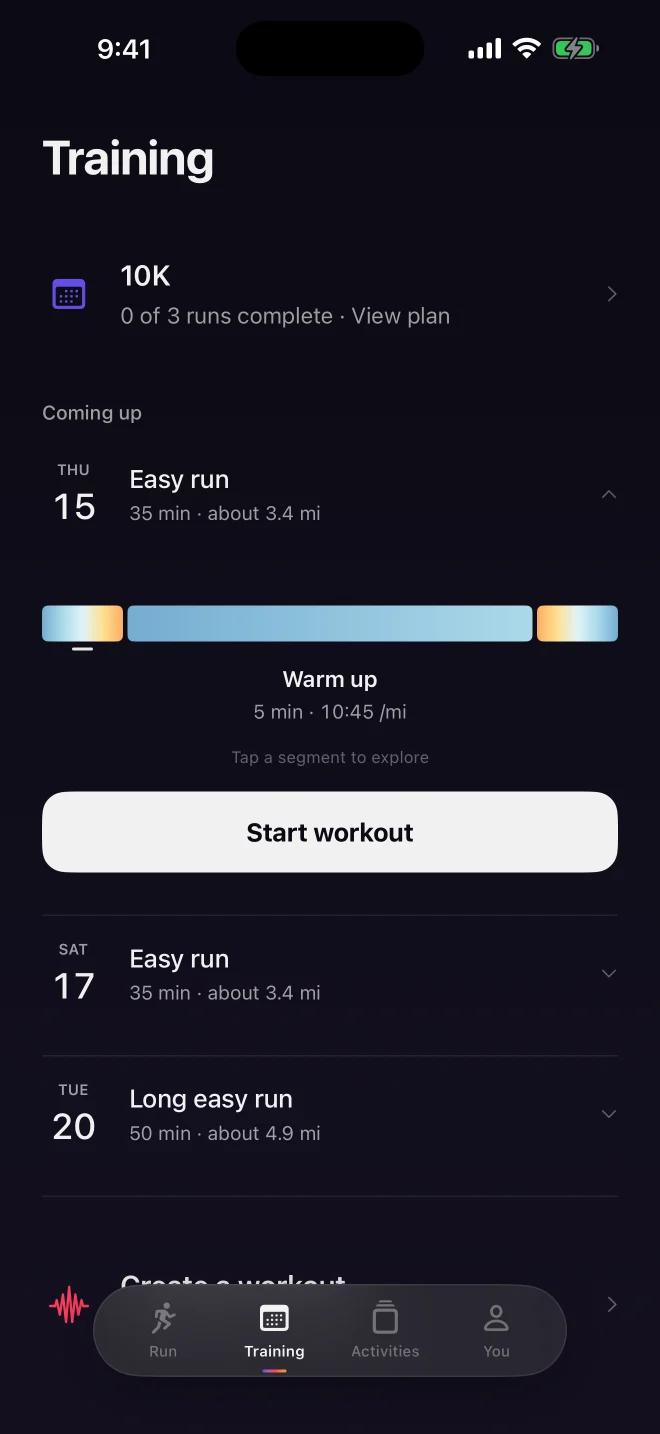
Build toward a 5K, 10K or half marathon with a plan based on your current running. See what’s next, explore each workout and move a session when life gets in the way.
Just heading out today? Create a time, distance or interval workout—or start an open run.
- Warm-up, effort and recovery segments in one clear view.
- Workout cues on iPhone and paired Apple Watch.
- Completed runs keep your plan moving forward.
03 / The memory
Find the song
from that mile.
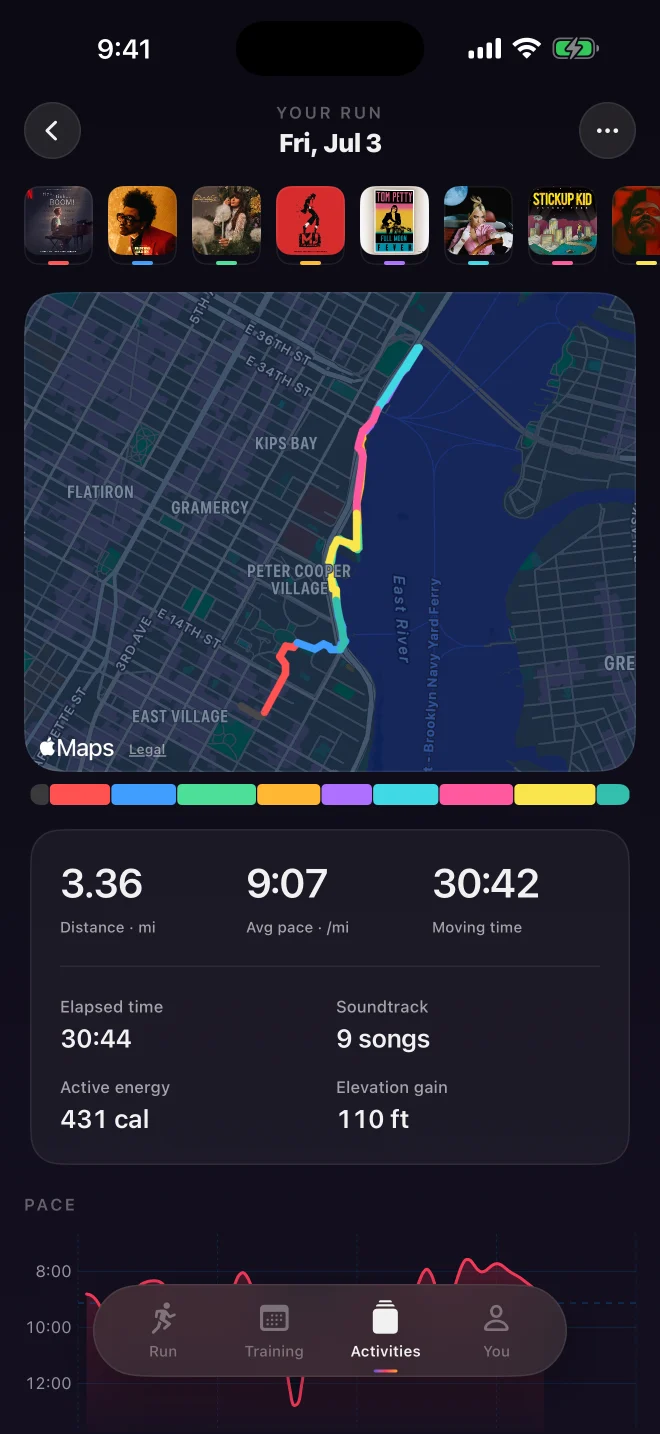
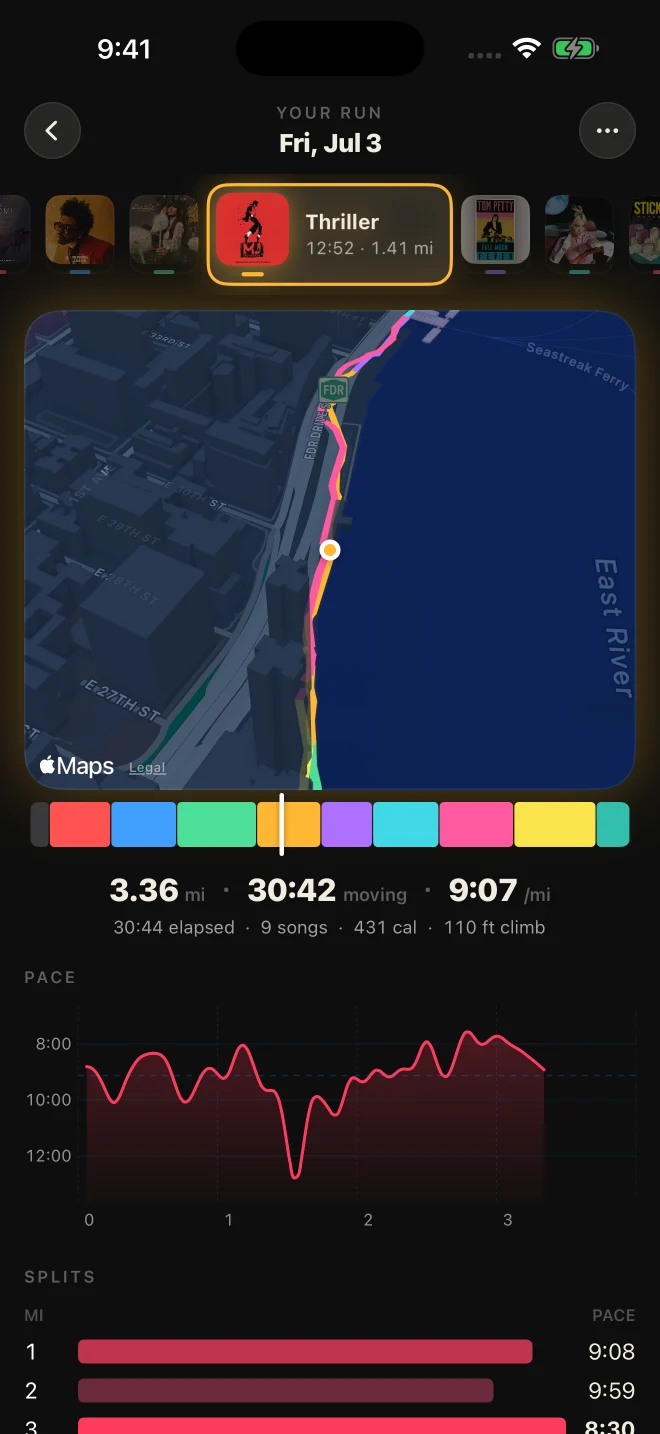
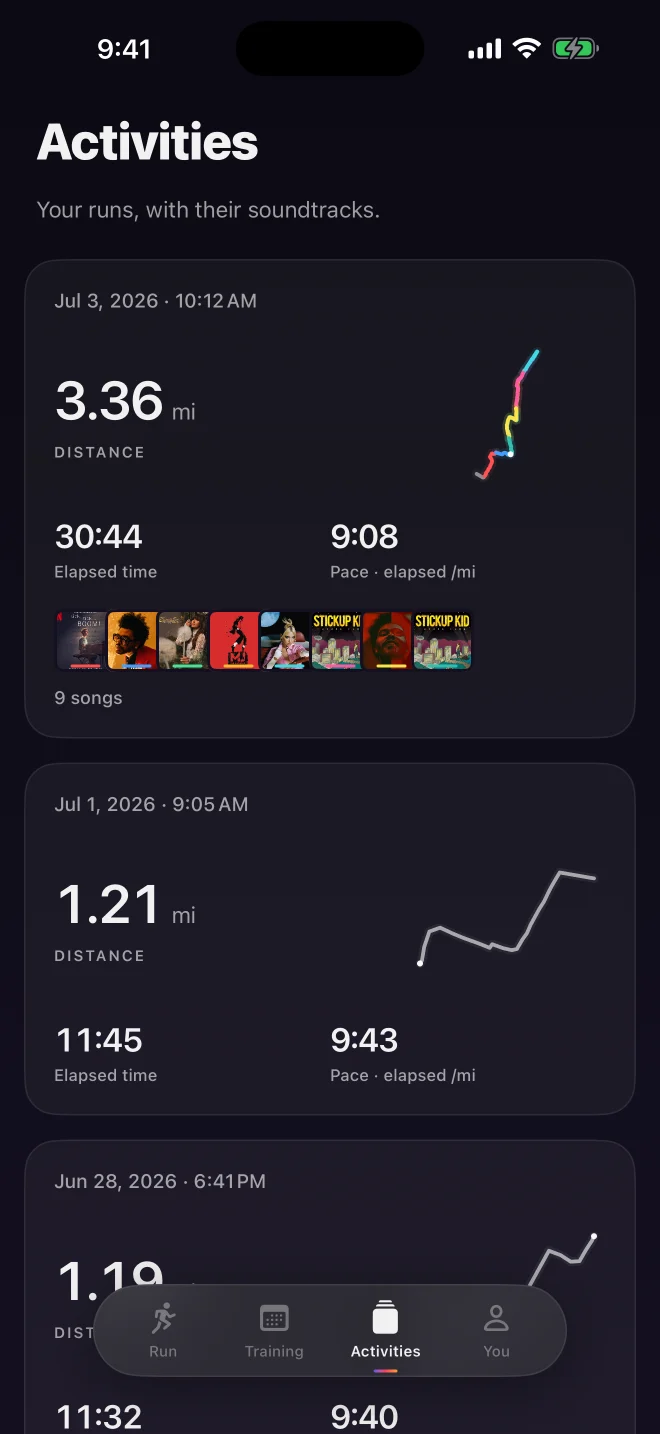
Your route takes on the colors of the songs you heard. Each activity keeps its album-art soundtrack alongside distance, pace and the shape of the run.
Drag across a saved run to revisit its music. Share the route and soundtrack with a link, or export your GPS track as a GPX file.
Music previews play in the iPhone app with Apple Music. Shared web pages show the run, route and soundtrack.
Start from your wrist.
Record with Apple Watch for GPS and heart rate. Your iPhone comes along for the music and connected experience.
Keep your running data.
Save workouts to Apple Health. Export a GPX with your route, elevation and available heart-rate data.
Choose who sees it.
Keep a run private or share it by link. Account deletion is available in the app’s settings.
Before your
first run.
Do I need an Apple Music subscription?
Yes, for music playback. You’ll also need the Apple Music app, music permission and a library or playlist to play from. Without music, Soundtrack can still record your run.
Can I leave my iPhone at home?
Bring your iPhone for the full Soundtrack experience. Apple Watch can record the workout and send GPS and heart-rate readings to the phone; music playback runs on the iPhone.
What does adaptive music do?
It guides song choices using your selected music and the effort of your run. It can keep a fitting song, prepare music for a workout segment, or use a matched passage in a supported recording. It isn’t beat mixing, and your manual playback controls take priority.
Do I have to follow a training plan?
No. Start an open run, create a single time, distance or interval workout, or choose a plan for a 5K, 10K or half marathon. Plans are designed for people already running regularly.
Can I use my run in another app?
Soundtrack saves workouts to Apple Health and supports GPX export. You can manually upload a GPX to services such as Strava; direct automatic Strava sync isn’t included.
How is my data used for adaptive music?
With your permission, song metadata and musical direction are shared with Google for song selection. Raw heart-rate readings, GPS routes and account identifiers aren’t sent to the model. Read the privacy policy for details.
Take Soundtrack
on your next run.